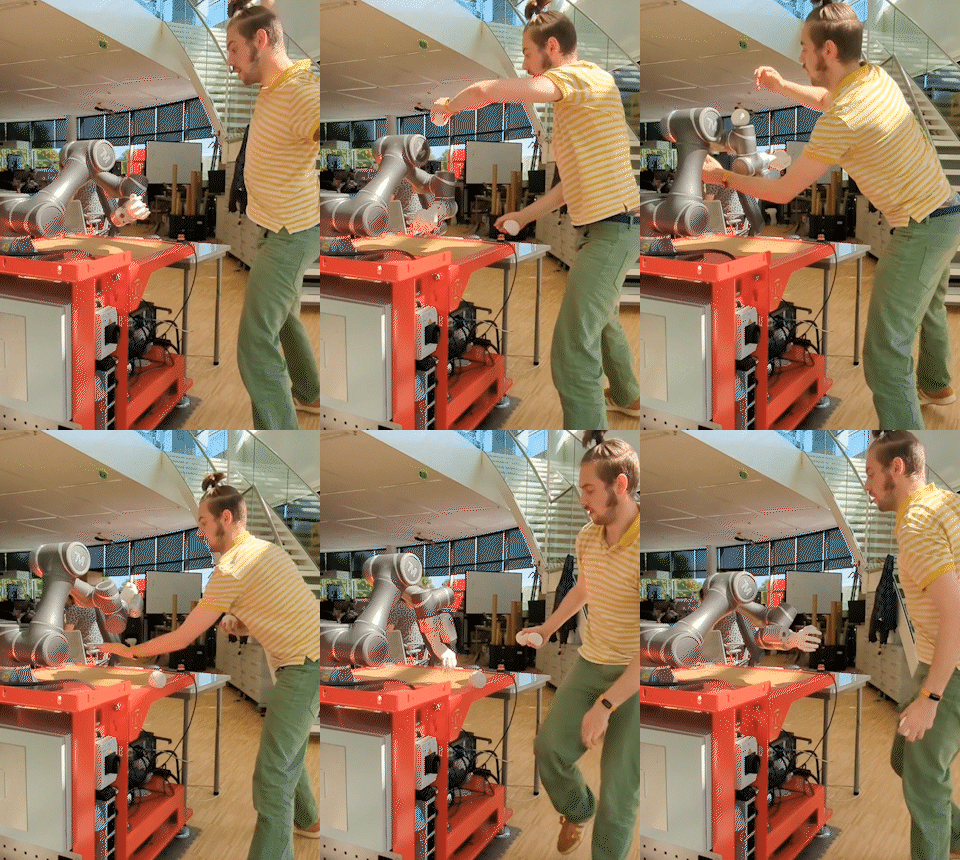
Over the past year, I’ve been trying to teach a cobot (aka a 6 axis collaborative robot arm) to become a partner to me on stage, and assist me in my juggling, for a show we call the Robot Arm Études. Despite learning an incredible amount, playing a few shows, and involving many collaborators, the cobot still doesn’t do as many exciting things as I hoped at the start.
In this article, I will summarize my challenges, and hopefully prepare you to do it better.
Hardware
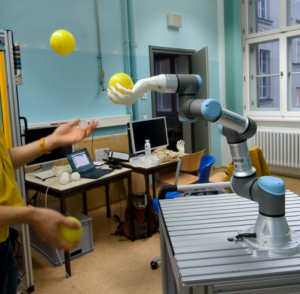
It’s hard to get hold of a cobot. We started out borrowing a Techman TM5 from RoboHouse, and later a Universal Robots UR3 from Gibas. Neither of these robots were ideal to work with.
We didn’t use the TM5 for too long. But for the UR3 I assembled a list of issues we were having with it.
Main issues UR3:
- Control box is heavy and huge, making transport difficult
- After moving the robot to a new location, the robot would sometimes lock up for an hour before being able to boot
- Working with a pendant is inconvenient:
- Controlling their interface from your pc is only possible with VNC it seems
- The freedrive button is awkwardly placed
- If you drop the pendant (because you’re an idiot, like me), the robot can no longer be moved until you reboot it
- 720 degrees of rotation on a joint give a lot of opportunities to put the robot in positions that are hard to untangle from (we ended up setting 360 degree limits on all joints but the wrist)
- When sending commands over ethernet, if you make a programming mistake you need to clear it on the pendant, forcing you to walk away from the computer.
- We programmed using the python RTDE library, which is unofficial. All officially supported programming options seemed too complex for me to understand.
- Virtual machine is difficult to use, barely functional
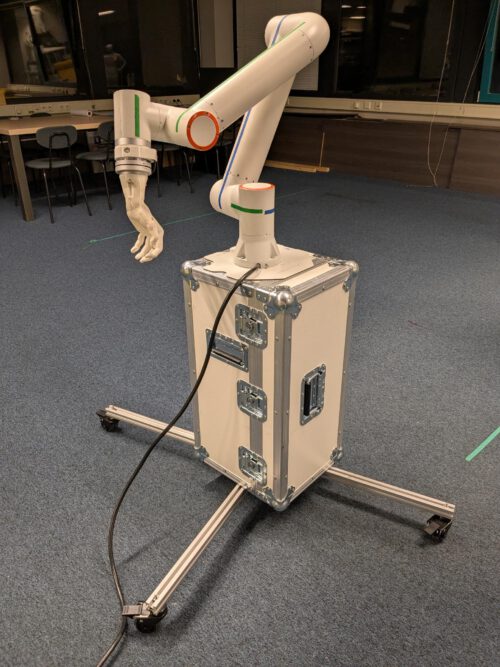
When I finally bought my own robot arm, a Fairino FR3-WML, most of our code needed to be rewritten. However, besides having our own machine, the Fairino brought loads of benefits.
Benefits FR3-WML (please sponsor us, lol):
- Very light controller box (2kg), and the WML/WMS are extra lightweight arms too (11kg)
- Torque safety can be turned off per joint, meaning that it won’t stop if it collides (be careful playing with this of course!)
- Web interface, no pendant
- Python and C++ library are easy to use
- Freedrive button on tool end, and an extra programmable button
- White arm looks nice and neutral
- Affordable, and affordable tools/upgrades
But also this Fairino robot came with some disappointments:
- Paths are impossible to import/export and manipulate externally. (We ended up programming our own path implementation)
- The ROS2 implementation didn’t work out of the box
- When streaming servo commands from python, the robot sometimes jams (solved by streaming from C++ instead)
My top 3 requirements for a good cobot are:
- Quick to reboot and/or quick to restart after errors, as you’ll surely have a lot of issues.
- Easy editing software on a pc, not limited to a pendant/tablet.
- Don’t lock up too quickly when dealing with unexpected external forces (I’m looking at you, Franka…!)
Besides getting a robot, one also needs to get a base. In our case we wanted something that was table height and easy to transport, so I ended up building a flight case that could both transport the robot and serve as a pedestal. This was a lot more work than anticipated, but the end result is functional.
Interface
These cobots do a lot of stuff out of the box. But because I wanted to control them live using things like cameras, faderdecks and torque sensor inputs, they needed to be controlled through a stream of ‘servo’ commands. For this it is almost a requirement to write your own software.
This is awful.
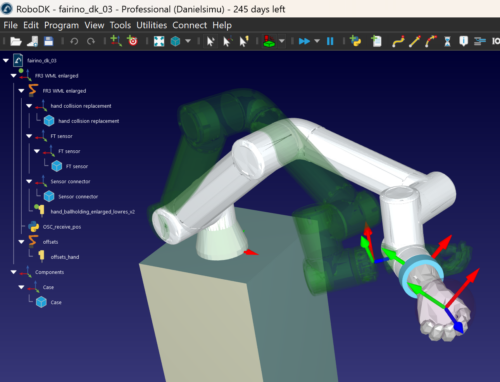
You needed to deal with collisions, need to figure out where you are in space (using cartesian servo commands is awful because of “singularities”), need to deal with high frequency data streams that can’t get interrupted, and most software for robotics path planning such as RoboDK isn’t designed with live feeds in mind.
Most research projects work within a very limited range of motion, which circumvents some of these issues. But in our case that wasn’t an option, we wanted to move the robot as much as possible.
In hindsight, I should have perhaps opted to not use live control, and instead used the extensive possibilities from the interface that it came with. It would have given a lot of limitations, but aren’t those what spark creativity?
Maybe ROS2 with MoveIt would have solved some of our pains, but I couldn’t get that working quick enough, and already suffer from sunken cost fallacy considering I invested so much time in the current interface.
In case it’s of any use to anyone, here is what we use right now in short:
- The robot is driven by a c++ coded server (the Python version wasn’t reliable enough), that takes input over OSC (Open Sound Control), applies a PID loop to prevent high accelerations and limits max speed, and outputs the new computed value to the robot.
- OSC data is sent to the server by Chataigne, a show control software. Chataigne plays back prerecorded sequences and positions, or gets position data live from a physical faderdeck, or does interactive control based on torque input.
- In parallel, the OSC data gets forwarded to RoboDK, which computes collisions and stops the robot if it is approaching one.
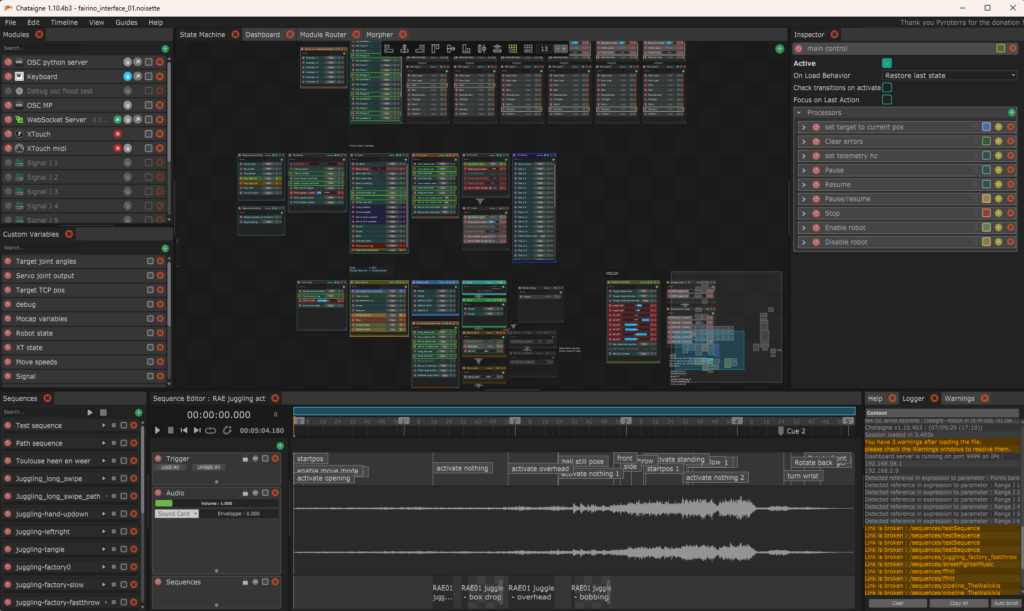
The setup (with the old python server) is on github for anyone who wants to take a peek.
So what did we do with all this?
To really know why we put all this effort into the machine, you’ll have to come visit a show of the Robot Arm Études, for example why not come on the 25th of September 2026 to Korzo in Den Haag?
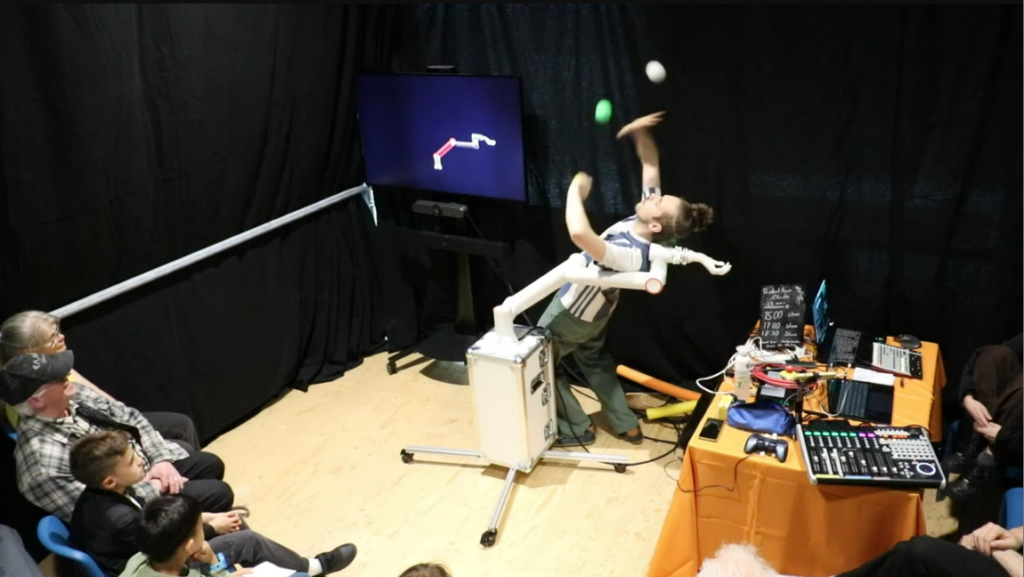
But to give a bit of insight for those just browsing around on the internet, the video database of tricks and experiments we did with the cobot can be found here.
This database even contains a full video (22m) of the very first try-out we did of our performance lecture, then called the CoboShow.
Credits
I keep on talking about ‘we’. This research and performance was made together with Joyce den Hertog and Wouter Lucifer. Most of the robotics has been done by myself.
We were also lucky to have a bunch of partners who supported the project in one way or another, including RoboHouse, CircusNext, Hal015, Gibas, RoboDK, and Resolume.
We’ve received financial support from Stimuleringsfonds voor de Creatieve Industrie and Gemeente Delft.
Thanks for reading, I hope this is useful and/or insightful to anyone!
If you have thoughts or comments regarding this post, feel welcome to send an email to hello@danielsimu.com . I try my best to respond to all email!